BandwagonHost Guide
Guides
VPS Upload and Download: How to Understand Speedtest Bandwidth Readings
The 2019 data used Speedtest-CLI to observe the upload and download speeds from the server to the test node, and cited a case where a DC6 historical package had measured 2.5 Gbps.
Check the current price and offers before orderingView provider pricing
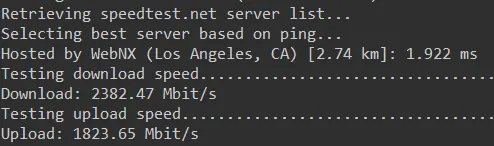
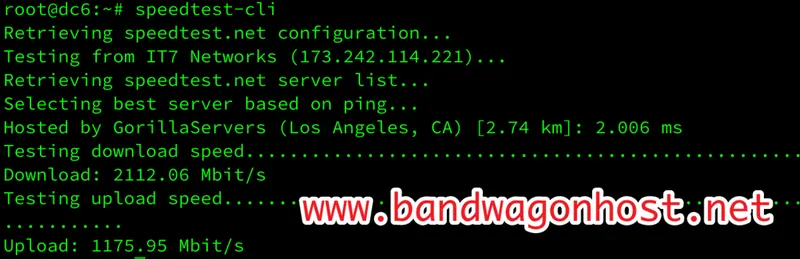
The 2019 data used Speedtest-CLI to observe the upload and download speeds from the server to the test node, and cited a case where a DC6 historical package had measured 2.5 Gbps.
The reading reflects the transmission capacity between the server and that node at that time. When a webpage sends files to visitors, the focus should be on the server's upload direction; the peak speed in the machine's region cannot be directly converted into the download speed for local users.