BandwagonHost Guide
KiwiVM Management Panel Guide: Usage, Snapshots, System and Login Security
This document outlines the most commonly used entry points for statistics, snapshots, reinstallation, keys, and data center migration in KiwiVM.
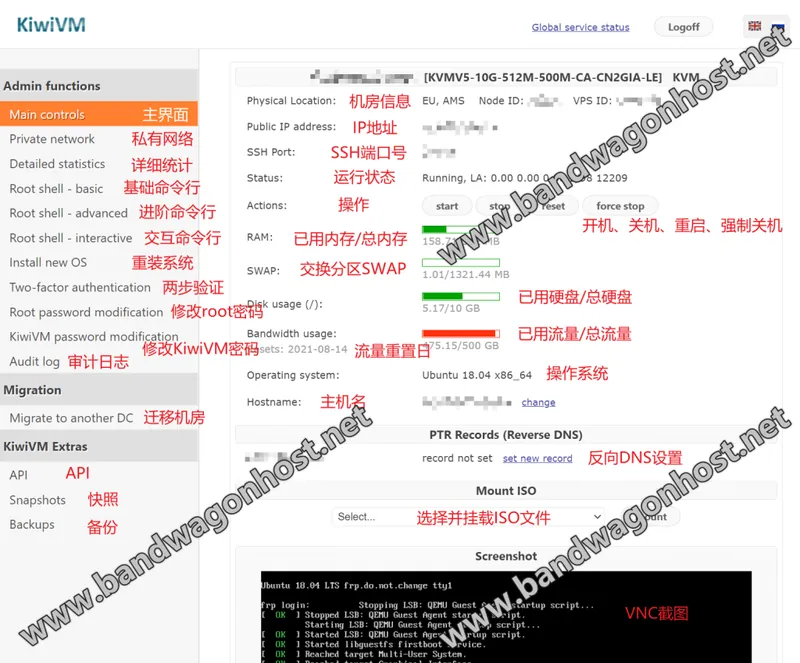
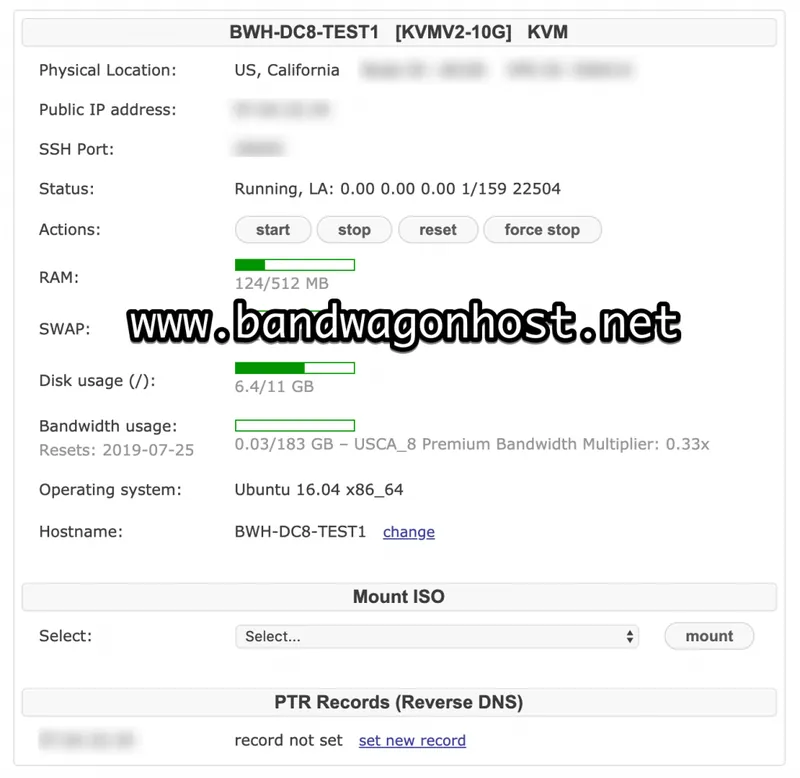
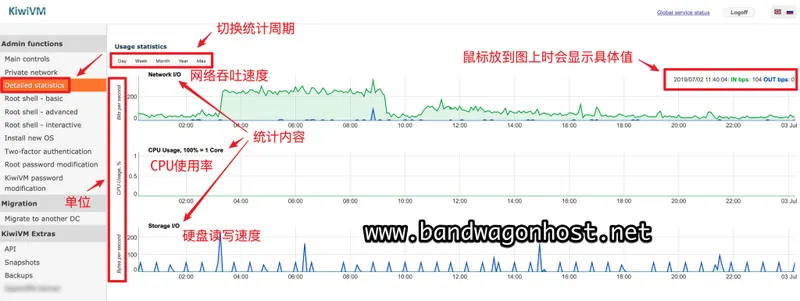
First, check the current instance, running status, and resource usage on the homepage. Detailed statistics provide more detailed data. The system password and KiwiVM panel password are different credentials; confirm the entry point you need to restore before resetting.
Snapshots are used to save selected points in time, while automatic backups rely on the actual backup records provided by the control panel. Before restoring or reinstalling the system, save important data and carefully verify the target instance, snapshot time, and target system.
Routine account management allows you to check Two-factor authentication, Public SSH Keys, session logs, and audit logs. Migration options are located in "Migrate to another DC," and the panel will list available targets for this instance; do not mistake data centers shown in screenshots of other plans for your own access.