BandwagonHost Guide
VPS service cancellation and refund request: What do I need to check in my account for each step?
Cancellation of renewal, termination of service, and refund are different procedures. Back up your data first, then check the refund conditions applicable to your purchased service.
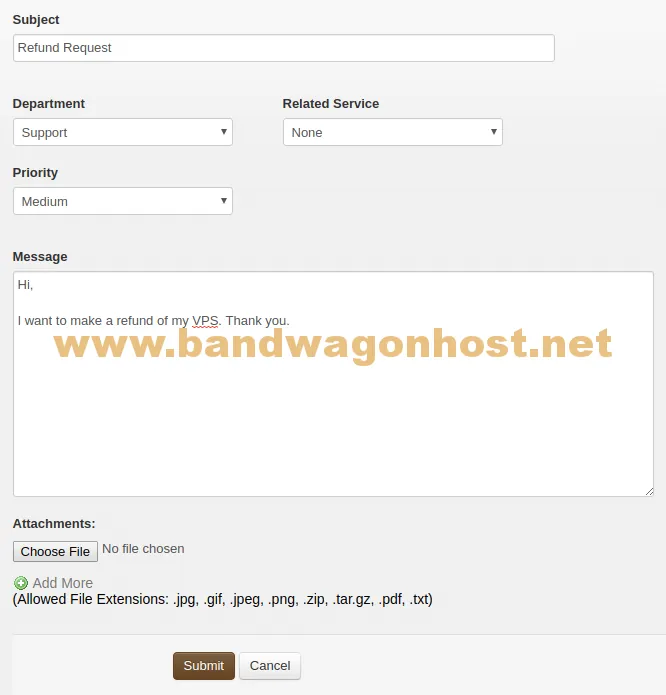
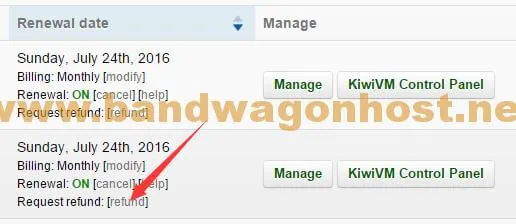
When preparing to terminate the service, first save a backup and note the order number, purchase time, and payment method. Whether disk data can still be accessed after service cancellation depends on the service status; backups should be completed before submitting the termination request.
Check your account for the cancellation and refund options. Eligibility requirements and timelines in previous tutorials may have changed; do not rely solely on old screenshots to determine your eligibility. Refer to the applicable terms displayed in your account, any outstanding charges, and responses from your support team.
After submitting the application, a confirmation record will be saved, distinguishing between three stages: service cancellation notification, refund approval, and payment confirmation. If the order contains multiple instances, each application must be verified to correspond to the specific product.